


Are you frustrated with the results you get when you ask ChatGPT what to post?
You ask for content ideas and it gives you the same generic list it gives everyone.
It can give you hooks and content to use, but it’s not based on what’s actually working on Facebook or Instagram THIS WEEK.
It’s generic information pulled from the internet, not based on data in your niche and definitely not based on your own page.
It’s just guessing.
It doesn’t know which of your posts got the most saves yesterday or which post got shared 500 times.

But I found an AI that DOES know.
It can see your real posts, your saves, your shares, what’s viral in your niche this week, and exactly what to post next to get more of it.
And once you turn it on, you’ll never stare at a blank screen wondering what to post again.
I’m going to show you the secret – and how to connect it in 2 minutes.
P.S. If you have under 1k followers or want to start a new quote page from scratch? I put my 35+ beginner & growth prompts (no data needed) inside my Meta AI Growth Vault here.
The Secret? It’s Already On Your Phone
It’s not another expensive tool.
It’s not a Chrome extension or a complicated dashboard.
It’s an app built by Facebook and Instagram themselves.
And it’s probably already sitting on your phone, hiding in plain sight.
Once you connect it the right way, it unlocks everything – your saves, your shares, your best-performing posts, and what’s viral in your niche this week.
It’s called Meta AI.
And once you see what it can do when you connect it correctly, you’ll wonder why no one told you about this sooner.
What Is Meta AI (And Why It’s Different From ChatGPT)
Meta AI is Meta’s own AI — built by Facebook and Instagram — and unlike ChatGPT, it can actually connect directly to your Facebook and Instagram accounts.
It doesn’t have to guess what’s working.
It can see your real data.
Your top posts by saves and shares this week, what’s getting commented on, and what’s going viral in your niche right now.
But most people never see that data because they’re using it in the wrong place.
The Mistake: You’re Using Meta AI in the Wrong Place
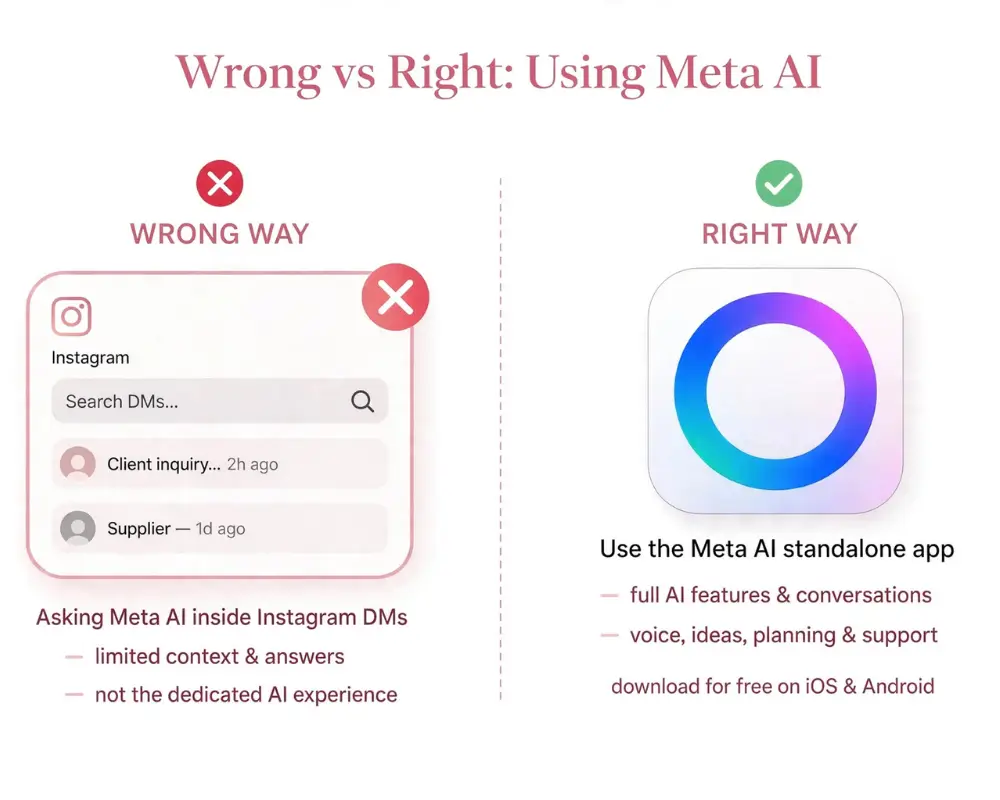
There are TWO versions of Meta AI:
1. Inside Instagram / Facebook DMs: You type “Meta AI” in your search bar. This version is NOT connected to your account. It can’t see your posts or Insights. That’s why it tells you to upload screenshots and CSVs.
2. The Standalone Meta AI App (meta.ai): This one CAN see your actual Facebook and Instagram data – your top posts, your saves, shares, and what’s working. No uploading needed.
If you want real answers, you need version 2.
Step 1: How to Connect Meta AI So It Sees Your Page
Do this once. It takes 2 minutes.
1. Download the Meta AI app from the App Store or Play Store. Look for the purple and blue swirl icon. Or go to meta.ai on desktop.
2. Log in with the SAME login you use for your Facebook Page and Instagram Business account.
3. Link your accounts: In the Meta AI app go to Settings, then Accounts Center and make sure both your Facebook and Instagram are connected.
4. Turn on Personalization: Go to Settings, then Personalization, then Access Your Facebook and Instagram Data and turn it ON. If you see Accounts Center connected, you are already connected and you are good.
Step 2: How to Get FACTS, Not Fluff
Once you’re connected, you have to tell it to use your data. Add this phrase to every prompt: “Use my connected account data.”
Here are my exact prompts:
To Find What’s Working:
Using my connected Instagram data from the last 30 days, analyze my top 5 posts by saves and shares. What patterns do you see in topic, format, and hooks? Give me facts from my data, not generic tips.
To Know What to Post Next:
Compare my lowest performing posts vs. my highest in the last 14 days. What’s the difference? Now create a 7-day content calendar based ONLY on what’s working for me.
Step 3: How to Find Viral Content in YOUR Niche
Stop scrolling for hours for ideas. Make Meta AI do the research.
Create a new chat called “Viral Research” and use this:
Search Facebook and Instagram for viral posts in the [insert your niche] niche from the last 7 days. Show me posts with high shares. What hooks and formats are they using?
Follow up with:
Now take the top 3 viral formats you found and rewrite them for MY voice and MY audience based on my connected account data.
Step 4: Use Separate Chats to Keep Everything Organized
If you run more than one page or niche, this will save you.
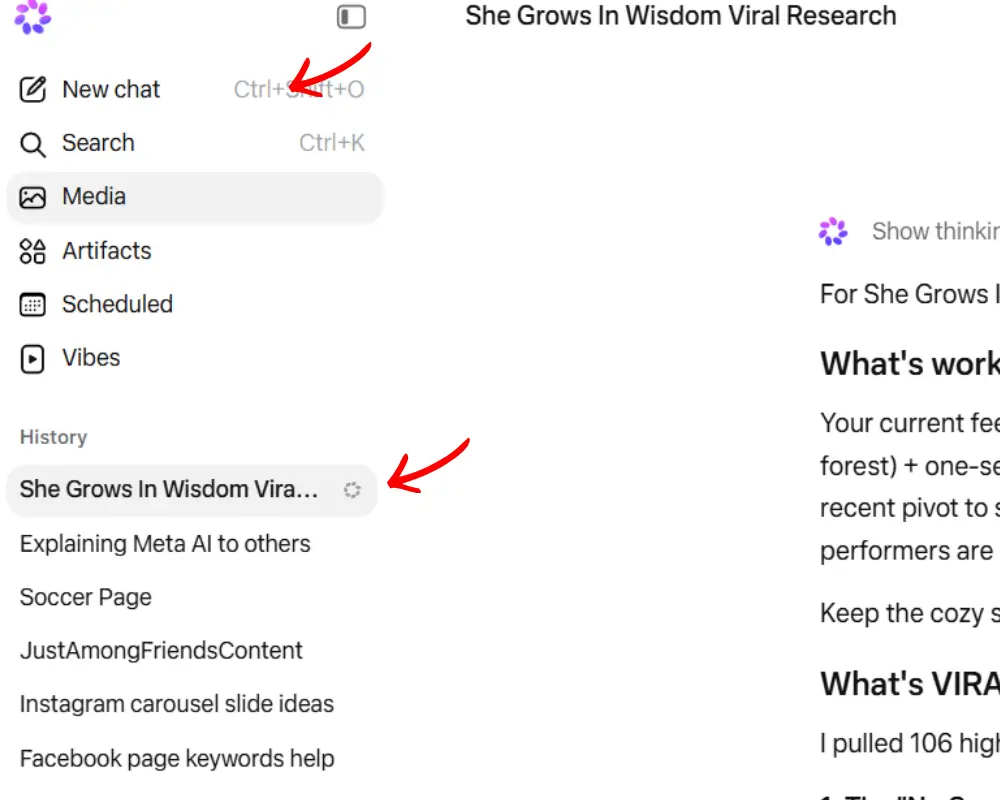
In the Meta AI app, tap New Chat for each project and name it:
- My Main Page – Content Ideas
- My Main Page – Viral Research
- My Business Page – Growth
At the top of each chat, tell it who it is:
You are my assistant for my Facebook and Instagram page in the [your niche] niche. Only use advice for this niche.
This stops Meta AI from mixing your niches together.
Quick Recap
- Use the Meta AI app, not the DM version
- Make sure Accounts Center shows your pages
- Always say “Use my connected account data”
- Use one chat for creation, one chat for viral research, and one chat per brand
What I’m Actually Using It For (Real Numbers, Not Theory)
I didn’t write this post because I read about Meta AI. I wrote it because I use it every single day to run my pages.
For context — my Instagram quote page is at 62k right now, my Facebook quote page is at 25k, and last month I made about $700 just from posting quotes on Facebook. No course, no coaching, just quotes. And that income is finally increasing because I stopped using ChatGPT to guess what to post and started using Meta AI to see what’s actually working.
I now have separate Meta AI chats set up for each of my pages. They act like employees — one knows my Instagram, one knows my Facebook, and they don’t confuse the two. That’s why I finally figured out why my Facebook posts were flopping on Instagram and vice versa.

I get asked all the time for my exact prompts — especially from people who want to start their own quote page or are stuck at 0-1000 followers.
You can’t pull data if you don’t have data yet. You need prompts that find what’s viral RIGHT NOW in your niche and tell you what to post when you have no saves to analyze.
I put all of those — 35+ prompts for new pages, growing pages, and how I separate Instagram vs Facebook — inside my Meta AI Growth Vault.